
Payroll Suspense Report
What is the Suspense Report?
The suspense report in PeopleSoft HR is a report that displays current fiscal year paychecks (earnings, deductions and taxes) currently housed in UHD’s payroll suspense cost center.
The payroll suspense cost center is the default UHD cost center which houses paychecks for employees in UHD positions that were not assigned to the department’s cost center (via ePRF) on the Department Budget Table (DBT) at the time the final payroll process was run for each pay period cycle.
In addition to the suspense cost center housing actuals from paychecks, the suspense cost center also houses the position’s earnings and fringe benefit encumbrances until the position is assigned to a department cost center.
The longer a position is not tied to a department cost center on the DBT, the longer paychecks associated with the position will continue to post to the suspense cost center along with the encumbrances.
It is not acceptable to have paychecks remain on the suspense cost center because the payroll expenditures and encumbrances belong to a department’s cost center resulting in understated and inaccurate payroll expenditure and encumbrance data on financial reports.
Suspense Oversight at UHD
- Currently, the UHD Budget Office manages the oversight of UHD’s payroll suspense cost center, and contacts the department to resolve, which in most cases, involves the Budget Office requesting a department to submit a current fiscal year ePRF.
- Once appropriate action is taken by the department, the Budget Office will proceed to reallocate the paycheck(s) out of the UHD suspense cost center and to the appropriate department cost center.
- The Budget Office reallocates paychecks out of the suspense cost center several times a month to keep the suspense cost center as clear as possible. The suspense cost center must be clear of paychecks/payroll expenditures by August of each fiscal year.
Common Reasons Paychecks Post to the Suspense Cost Center:
- Most Common Reason: An ePRF for the current fiscal year was not submitted by the department to assign a position to a cost center and fully approved before the bi-weekly or monthly pay period cycle final process was run.
- The cost center listed on the earnings tab of the current fiscal year DBT has expired (common with grant cost centers) and an ePRF was not submitted to assign the position to another new cost center before the bi-weekly or monthly pay period cycle final process was run.
- The department code associated with the position and employee do not match in PeopleSoft HR. Please contact HR to have this corrected.
How to Run a Suspense Report in PeopleSoft HR
Navigation path:
PeopleSoft HR > Main Menu > UHS HRMS Payroll > Reports > FY Suspense Report
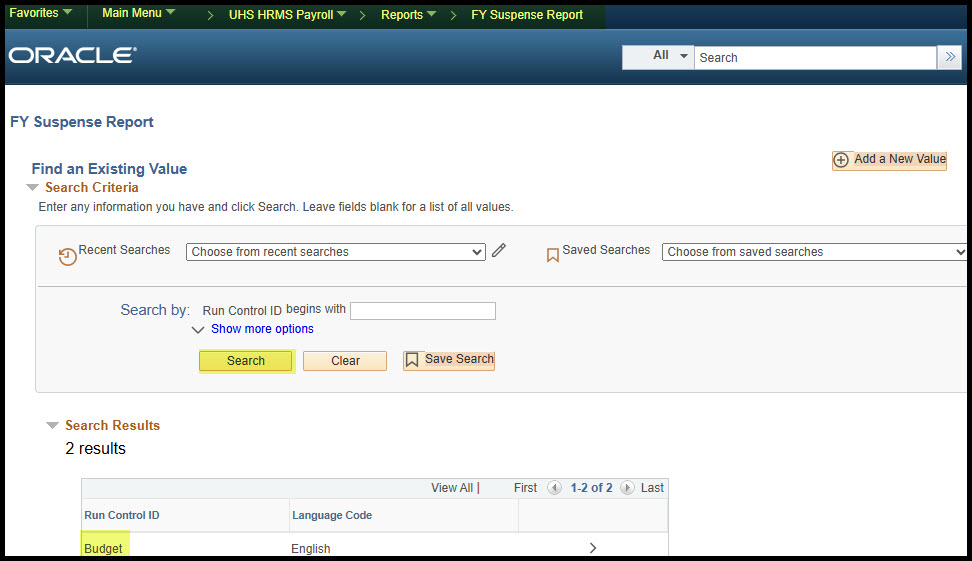
Click “Search” to select a Run Control ID
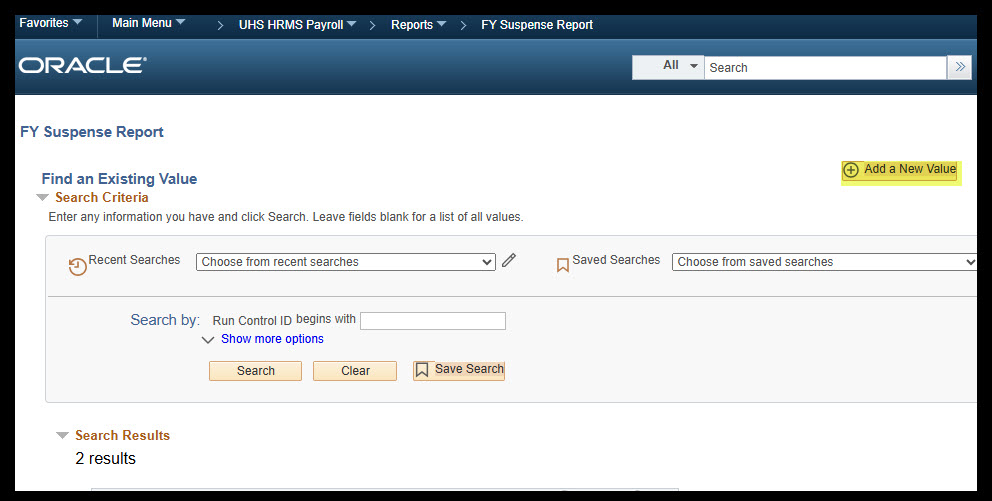
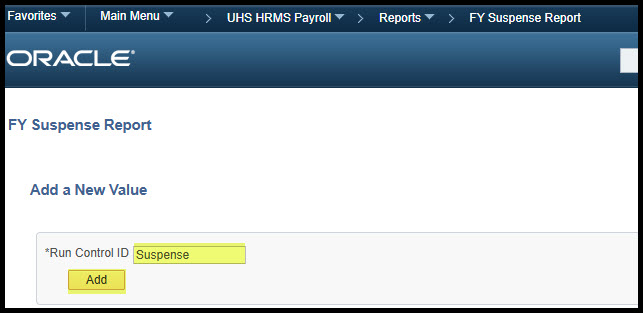
To add a new run control, select “Add a New Value” on the top-right. Enter a name for the run control then click “Add”
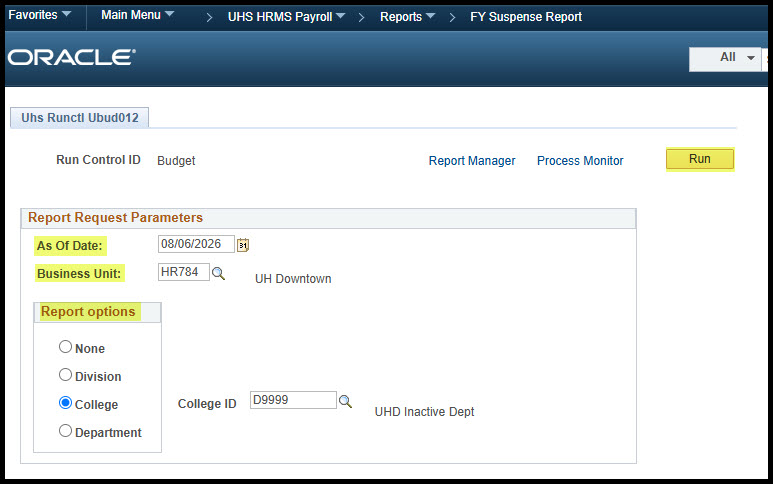
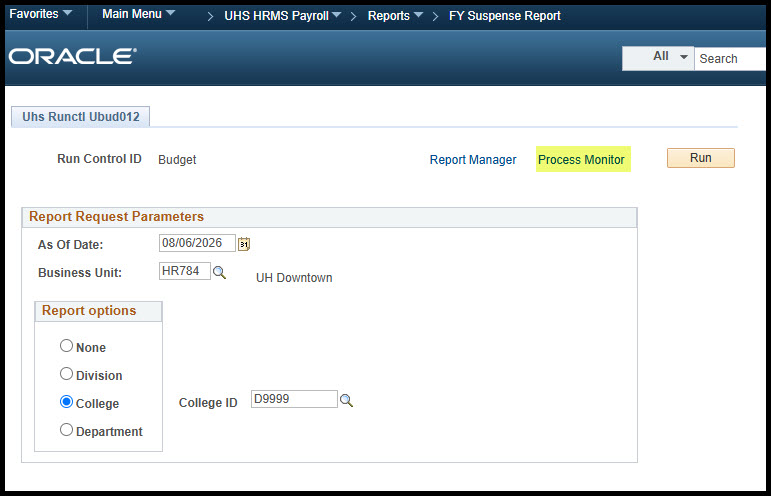
Suspense Report Parameters
Set the date one month ahead of the current date
The business unit must be “HR784”
The Suspense Report can be run by division, college or department
Once all sections are chosen, click “Run” on the top-right corner
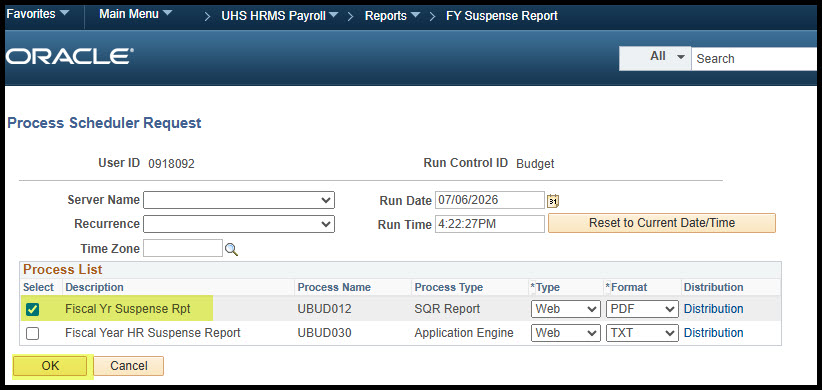
A second page will appear. Check the box “Fiscal Yr Suspense Rpt” then click “OK” on the bottom-left corner
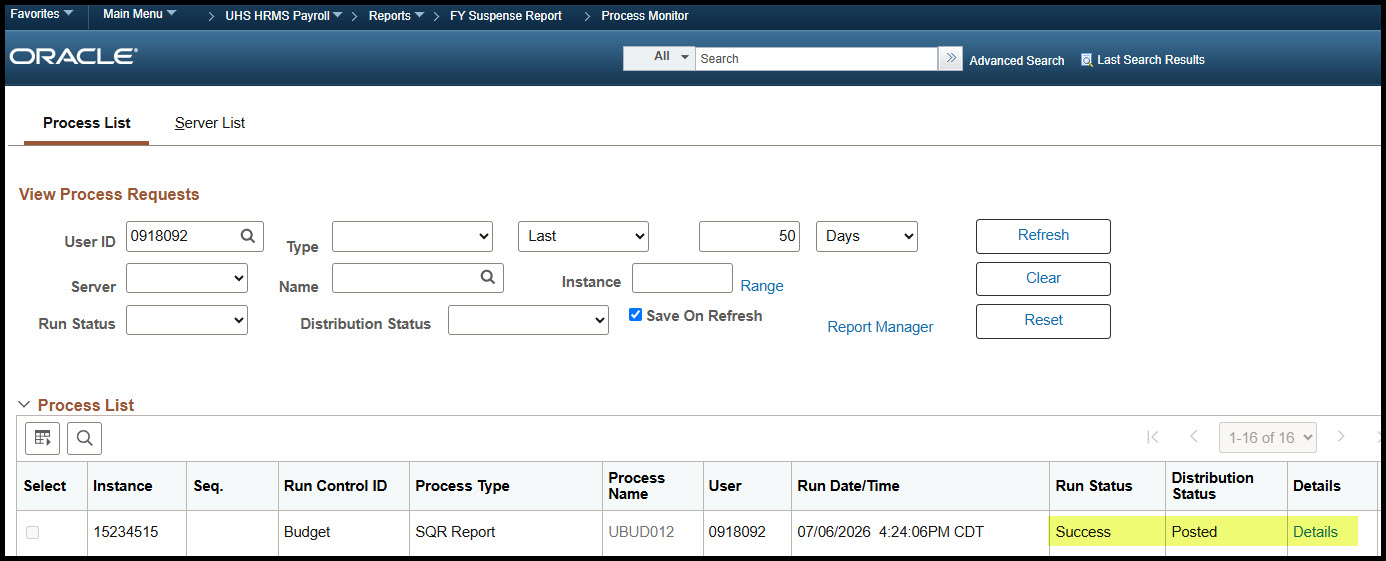
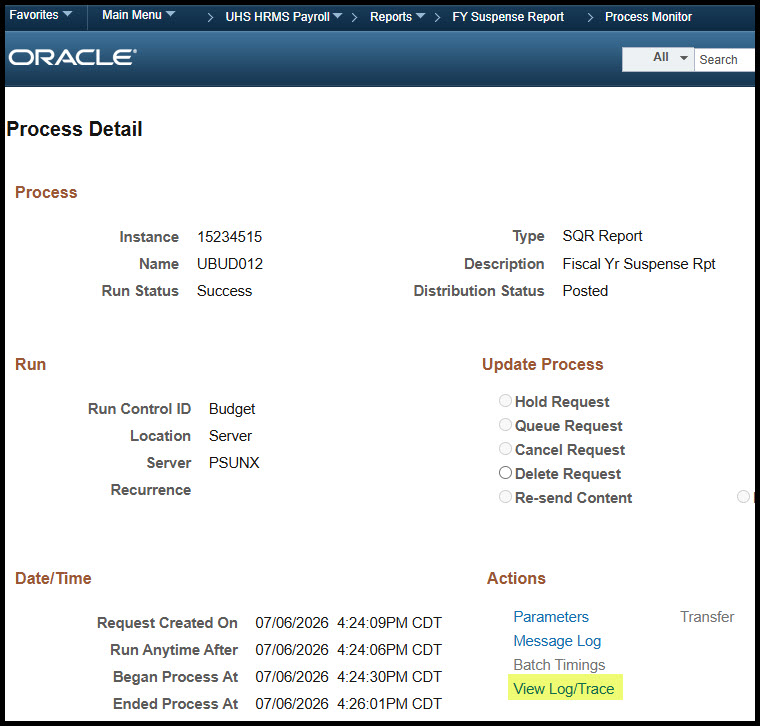
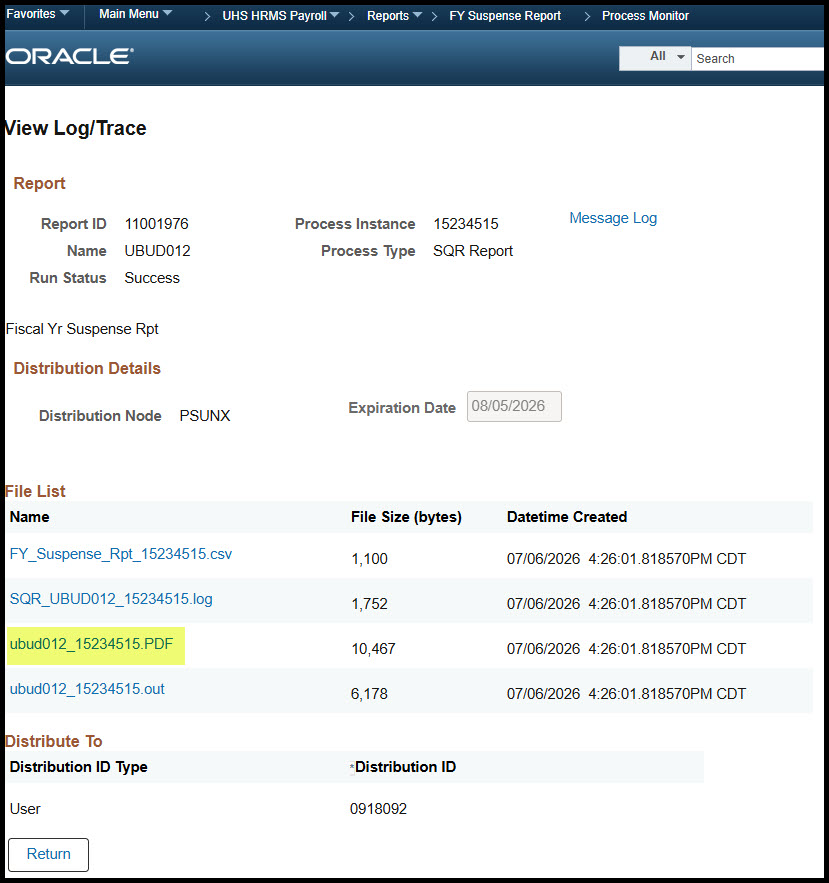
Then click “Process Monitor” on the top right-corner and wait until the run status shows “Success” and the distribution status shows “Posted”
Information Displayed on the Suspense Report
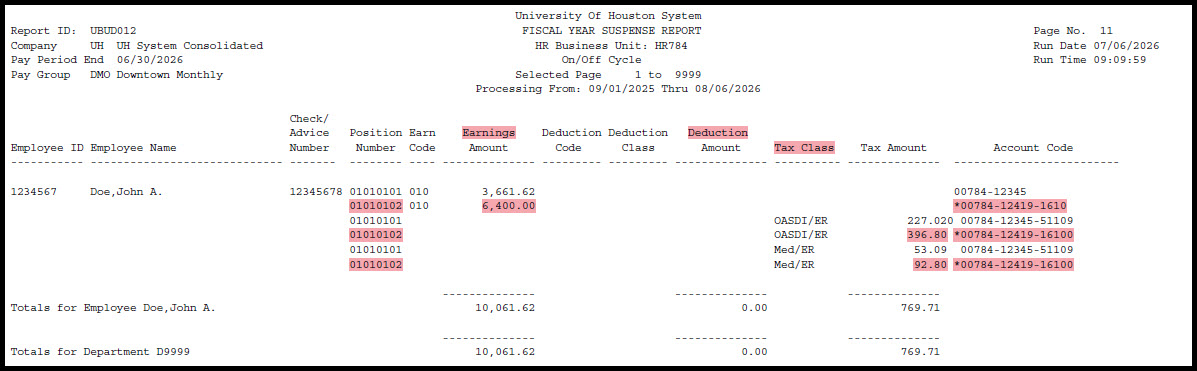
- Position, employee and paycheck information is displayed in order by pay period end date, division, college, department then employee.
- A paycheck may have one or more position numbers, depending on the number of jobs the employee is hired for that pay period.
- There is a column for earnings, deductions and taxes.
- The entire paycheck will be displayed, even if a portion or the entire paycheck is on the suspense cost center.
- An asterisk and speed type “00784-12419” will appear on the far-right side of the screen, indicating the line paid out of the suspense cost center.
- The Budget Office will process a payroll reallocation via eRAF (electronic Payroll Reallocation Form) to clear the paycheck off the suspense cost center once the necessary ePRF is executed or issue resolved.
- UH typically runs the payroll reallocation process each Friday morning.
- Payroll reallocations keyed through Thursday of the previous week will typically post to PeopleSoft Finance the following Monday.
Key Takeaways
- Submit an ePRF to identify funding and assign a position to a cost center before submitting an ePAR for hire. This will ensure salary and fringe benefit expenditures and encumbrances post to the appropriate department cost center.
- Aim to submit ePRFs in a timely manner, at least a week before the bi-weekly or monthly pay period payroll final process is run.
- To avoid delays, please include position funding instructions such as amount and source in the comments section.
- Reminder: Paychecks will continue to post to the suspense cost center until the issue is resolved.