
Desktop Computing Project
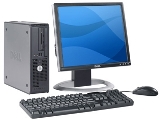
The Information Technology (IT) department manages the university-wide Desktop Computing Project, ensuring all full-time faculty and staff are equipped with modern computing resources to maintain high levels of productivity.
🔄 Device Lifecycle & Replacement
To ensure peak performance and security, UHD follows a structured replacement cycle:
-
Four-Year Rotation: Standard devices are replaced every 4 years according to established departmental schedules.
-
Performance Upgrades: Computers that fall below minimum technical standards are prioritized for upgrades during the department's designated upgrade cycle.
🏛️ Eligibility & Funding
-
HEF-Funded Departments: Units eligible for Higher Education Fund (HEF) allocations receive new hardware through this central project.
-
Self-Funded Departments: Departments not eligible for HEF funding may procure devices using their respective internal budgets.
-
Adjunct Faculty & Part-Time Staff: Computing access for adjunct faculty and part-time staff is coordinated and funded by their specific unit leadership.
🖨️ Printing Resources
-
Standard: IT provides and maintains networked departmental laser printers for shared use.
-
Individual: Personal or desktop printers are considered specialized equipment and must be funded by the requesting department.
⚙️ Standardized Hardware & Software
All new deployments feature a standardized configuration to ensure compatibility with university systems and reliable support.
- PROCESSOR: Intel Core i5 (Current Gen)
- MEMORY: 16GB RAM
- STORAGE: 512 GB SSD
- DISPLAY: 22" + LCD Monitor
- PERIPHERALS: Keyboard, Optical Mouse, Speakers, Media Reader
- OPERATING SYSTEM: Microsoft Windows 11 Enterprise
- PRODUCTIVITY: Microsoft 365 (Outlook, Word, Excel, Access, PowerPoint & Publisher)
- PROFESSIONAL TOOLS: Microsoft Visio, Microsoft Project, Adobe Acrobat DC
- UTILITIES: WinZIP, DLO (backup utility)
- ON-REQUEST: Microsoft Visual Studio, SPSS (Contact the IT Service Desk for installation)